





Results for riser pcie
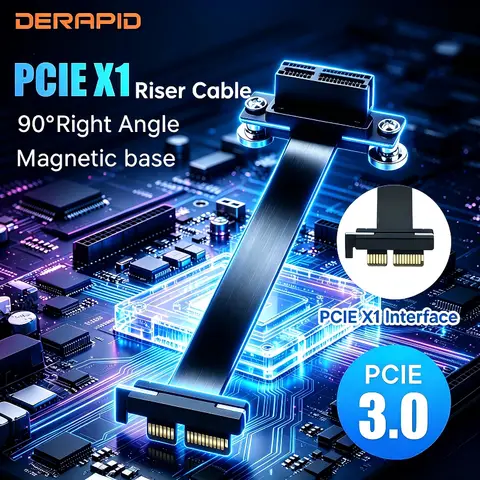
PCIe riser cards are essential hardware components that extend and reposition PCIe slots in desktops, servers, and laptops, enabling expanded connectivity for high-speed peripherals like NVMe SSDs, GPUs, and USB 3.2 Gen2 adapters. Whether you're upgrading a server, building a compact PC, or repairing a laptop, the right riser card ensures optimal performance, compatibility, and signal integrity.
The search intent behind riser pcie typically revolves around expanding internal connectivity, solving space constraints in small form factor systems, or replacing damaged components in servers and notebooks. Users often seek reliable, high-speed PCIe extension solutions that maintain data transfer rates without signal degradation. For example, a user upgrading a ProLiant DL360 Gen9 server may need a secondary PCIe riser cage (like the Yealanno 779157-001) to install additional expansion cards in the second position. Similarly, a DIY PC builder might use a TISHRIC 10Gbps PCIe 1x to dual Type-C adapter to add high-speed USB 3.2 Gen2 ports via a PCIe slot.
When selecting a PCIe riser, prioritize length, material quality, and connector type. For instance, the ADT-Link MPCIe to M.2 A.E extension cable (available in 0.03m–1m lengths) is ideal for compact builds where space is limited. Use shorter cables (≤0.5m) to minimize signal loss. Always verify compatibility: the TISHRIC 10Gbps adapter supports PCIe 1x to dual USB 3.2 Gen2 Type-C, perfect for adding fast external storage or docking stations.
Avoid cheap, unbranded risers with plastic connectors or unshielded cables—these often fail under sustained load. Opt for products with RoHS and UL certification (like ADT-Link) for safety and reliability. Whether you're enhancing a workstation or repairing a laptop, a well-chosen PCIe riser card delivers performance, flexibility, and long-term stability.
The search intent behind riser pcie typically revolves around expanding internal connectivity, solving space constraints in small form factor systems, or replacing damaged components in servers and notebooks. Users often seek reliable, high-speed PCIe extension solutions that maintain data transfer rates without signal degradation. For example, a user upgrading a ProLiant DL360 Gen9 server may need a secondary PCIe riser cage (like the Yealanno 779157-001) to install additional expansion cards in the second position. Similarly, a DIY PC builder might use a TISHRIC 10Gbps PCIe 1x to dual Type-C adapter to add high-speed USB 3.2 Gen2 ports via a PCIe slot.
- PCIe Riser Card
- A physical adapter that extends a PCIe slot from the motherboard to a different location, allowing for better cable routing and component placement in tight spaces.
- PCIe 3.0 / Gen2
- Refers to the data transfer rate standard; PCIe 3.0 offers up to 985 MB/s per lane, while Gen2 (on 3.2 USB) supports 10 Gbps, ideal for high-speed storage and external devices.
- Signal Integrity
- The ability of a signal to maintain quality over a transmission path; poor-quality risers can cause data errors or reduced speeds, especially at high bandwidths.
When selecting a PCIe riser, prioritize length, material quality, and connector type. For instance, the ADT-Link MPCIe to M.2 A.E extension cable (available in 0.03m–1m lengths) is ideal for compact builds where space is limited. Use shorter cables (≤0.5m) to minimize signal loss. Always verify compatibility: the TISHRIC 10Gbps adapter supports PCIe 1x to dual USB 3.2 Gen2 Type-C, perfect for adding fast external storage or docking stations.
- Check your motherboard’s PCIe slot type (1x, 4x, 16x) and ensure the riser matches.
- Confirm the target device’s interface (e.g., M.2, Type-C, or standard PCIe connector).
- Choose a riser with gold-plated connectors and shielded cables for better durability and reduced interference.
- For servers, verify the riser fits the chassis (e.g., DL360 Gen9 secondary slot) and supports required power delivery.
- Test the riser with a known working device before full deployment to avoid compatibility issues.
Avoid cheap, unbranded risers with plastic connectors or unshielded cables—these often fail under sustained load. Opt for products with RoHS and UL certification (like ADT-Link) for safety and reliability. Whether you're enhancing a workstation or repairing a laptop, a well-chosen PCIe riser card delivers performance, flexibility, and long-term stability.