









4
Results for thermally conductive pad
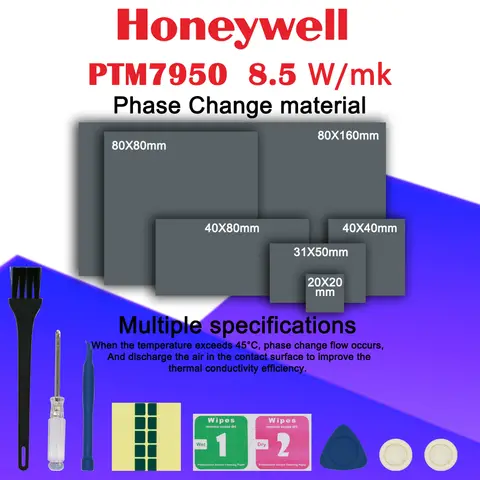
Thermally conductive pads are essential components for efficient heat dissipation in electronic devices, offering reliable thermal management in CPUs, GPUs, and power modules. These pads ensure stable performance under high temperatures while protecting sensitive components from overheating.
When users search for thermally conductive pad, they are typically seeking a durable, high-performance solution to manage heat in electronics—whether for DIY repairs, industrial applications, or upgrading cooling systems. The search intent centers on finding a product that combines effective thermal conductivity, durability, and ease of installation. Based on real-world usage and technical specifications, the ideal thermally conductive pad should offer consistent thermal resistance, maintain flexibility under pressure, and resist degradation at elevated temperatures.
For optimal results, consider the following when selecting a thermally conductive pad:
Avoid common pitfalls such as using pads with insufficient thickness or low thermal conductivity, which can lead to hotspots and component failure. Always clean surfaces before application and apply even pressure during installation. For users in repair or electronics manufacturing, choosing a pad with high-temperature resistance and a curved design (like the 2UUL BH15) ensures better contact and long-term reliability.
In summary, a high-quality thermally conductive pad—especially one with proven performance, durable materials, and precise dimensions—is a critical investment for maintaining electronic device efficiency and longevity.
When users search for thermally conductive pad, they are typically seeking a durable, high-performance solution to manage heat in electronics—whether for DIY repairs, industrial applications, or upgrading cooling systems. The search intent centers on finding a product that combines effective thermal conductivity, durability, and ease of installation. Based on real-world usage and technical specifications, the ideal thermally conductive pad should offer consistent thermal resistance, maintain flexibility under pressure, and resist degradation at elevated temperatures.
- Thermally Conductive Pad
- A thin, flexible material designed to transfer heat away from electronic components to heat sinks or cooling systems. It fills microscopic air gaps between surfaces, significantly improving thermal transfer efficiency.
- Thermal Conductivity (W/m·K)
- A measure of how well a material conducts heat. Higher values (typically 3–12 W/m·K for quality pads) indicate better heat transfer performance.
- Temperature Resistance
- The maximum operating temperature a pad can withstand without degrading. High-end pads often resist temperatures up to 150°C or higher.
For optimal results, consider the following when selecting a thermally conductive pad:
- Verify thermal conductivity ratings—Look for pads with values above 5 W/m·K for reliable performance in high-load applications.
- Check material composition—Silicone-based pads (like the 2UUL BH15 MagGrid Pad) offer excellent heat resistance and flexibility, while plastic-based alternatives may degrade faster.
- Assess physical dimensions—Ensure the pad matches your device’s surface area. The 104×80×8mm size of the 2UUL BH15 is ideal for CPU and GPU applications.
- Confirm compatibility—Avoid pads with low durability or poor adhesion. The 2UUL BH15’s heat-resistant and ultra-strong features make it suitable for repeated use in soldering and chip tinning.
- Inspect packaging and quantity—Some pads come in packs of 6, offering value and backup options for multiple repairs or projects.
Avoid common pitfalls such as using pads with insufficient thickness or low thermal conductivity, which can lead to hotspots and component failure. Always clean surfaces before application and apply even pressure during installation. For users in repair or electronics manufacturing, choosing a pad with high-temperature resistance and a curved design (like the 2UUL BH15) ensures better contact and long-term reliability.
In summary, a high-quality thermally conductive pad—especially one with proven performance, durable materials, and precise dimensions—is a critical investment for maintaining electronic device efficiency and longevity.