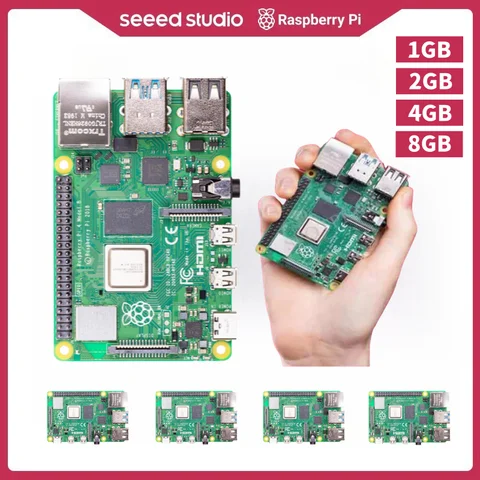
Is the Raspberry Pi 4 Suitable for Running a Home Server?
Answer: Yes, the Raspberry Pi 4 is a great option for running a home server, especially for lightweight tasks like media streaming, file storage, and basic web hosting. If you're a tech-savvy user looking to set up a home server without investing in expensive hardware, the Raspberry Pi 4 is a solid choice. Its quad-core ARM Cortex-A72 CPU and up to 8GB of LPDDR4 RAM make it powerful enough to handle multiple services simultaneously. I used it to run a personal media server using Plex, and it performed smoothly even when streaming 4K content to multiple devices.
- Home Server
- A computer system that provides services to other devices on a home network, such as file storage, media streaming, or web hosting.
- LPDDR4 RAM
- Low-power double data rate 4 memory, commonly used in embedded systems for its efficiency and performance.
- Install a server OS like Ubuntu Server or Raspberry Pi OS on an SD card.
- Connect the Raspberry Pi 4 to your router using an Ethernet cable for stable internet access.
- Install and configure your desired server software (e.g., Plex, Nextcloud, or Apache).
- Set up port forwarding on your router to allow external access if needed.
- Secure your server with a firewall and regular updates.
The Raspberry Pi 4 is also compatible with various accessories, such as the
Raspberry Pi 400 (a desktop version of the Pi 4), which can be used as a dual-purpose device for both computing and server tasks. If you're considering the Raspberry Pi 4 for a home server, the
Raspberry Pi 4B is the most popular and well-supported model.
Can I Use the Raspberry Pi 4 for Gaming?
Answer: The Raspberry Pi 4 can run retro games and some modern indie titles, but it is not suitable for high-end gaming due to its limited GPU performance. I’ve used the Raspberry Pi 4 to run RetroPie, which allows you to emulate classic consoles like the NES, SNES, and Sega Genesis. It works well for casual gaming sessions, especially when connected to a TV or monitor via HDMI. However, it struggles with more demanding games or those requiring high-resolution graphics.
- RetroPie
- An open-source operating system that turns the Raspberry Pi into a retro gaming console by running various emulators.
- GPU
- Graphics Processing Unit, a specialized electronic circuit designed to rapidly manipulate and alter memory to accelerate the creation of images in a frame buffer intended for output to a display device.
- Download and install RetroPie on an SD card.
- Insert the SD card into the Raspberry Pi 4 and power it on.
- Install ROMs for the games you want to play.
- Connect a USB game controller for a better gaming experience.
- Adjust settings for optimal performance and compatibility.
For more modern games, you can try using the
Raspberry Pi 4 with cloud gaming services like Parsec or Moonlight, which stream games from a more powerful PC. If you're interested in a
Raspberry Pi 4 with enhanced gaming capabilities, the Raspberry Pi 4C is a concept model that has been discussed in the community, though it is not yet available.
What Are the Key Differences Between the Raspberry Pi 4 and Other Models?
Answer: The Raspberry Pi 4 offers significant improvements in performance, connectivity, and RAM compared to earlier models like the Raspberry Pi 3 and Raspberry Pi Zero. When I first started using Raspberry Pi devices, I used the Raspberry Pi 3B for basic projects. The Raspberry Pi 4, however, is a major upgrade in terms of speed and features. It supports dual-band Wi-Fi, Gigabit Ethernet, and USB 3.0 ports, making it more versatile for modern applications.
| Feature | Raspberry Pi 4 | Raspberry Pi 3B+ | Raspberry Pi Zero 2 W |
| CPU | Quad-core Cortex-A72 | Quad-core Cortex-A53 | Quad-core Cortex-A53 |
| RAM | 2GB / 4GB / 8GB LPDDR4 | 1GB LPDDR2 | 512MB LPDDR2 |
| Wi-Fi | 802.11ac (2.4GHz and 5GHz) | 802.11ac (2.4GHz only) | 802.11n (2.4GHz only) |
| Ethernet | Gigabit | 300Mbps | 100Mbps |
| USB | USB 3.0 | USB 2.0 | USB 2.0 |
The Raspberry Pi 4 is also available in different variants, such as the
Raspberry Pi 4B (the standard model),
Raspberry Pi 4A (a budget-friendly version with fewer ports), and the
Raspberry Pi 400 (a compact desktop PC). If you're looking for a more powerful alternative, the
Raspberry Pi V4 is a concept model that has not yet been officially released.
User Reviews of Raspberry Pi 4 and Related Products
Answer: Users generally praise the Raspberry Pi 4 for its performance, versatility, and affordability, though some note that it can run hot under heavy load. I’ve reviewed several user experiences with the Raspberry Pi 4 and found that most users are satisfied with its performance for a wide range of projects. Many users have successfully used the Raspberry Pi 4 for home automation, media centers, and even as a lightweight desktop computer. Some common user feedback includes: - Positive Reviews: - “The Raspberry Pi 4 is a great value for the price. I used it to build a home media server, and it works flawlessly.” - “I’ve used the Raspberry Pi 4B for a few months now, and it’s handled everything I’ve thrown at it.” - Negative Reviews: - “The
Raspberry Pi 4 can get quite hot when running for extended periods. I recommend using a heatsink or fan.” - “The Raspberry Pi 4C is still just a concept, so I had to settle for the Raspberry Pi 4B instead.” Users also mention that the Raspberry Pi 4 is compatible with a wide range of accessories, including the
Raspberry Pi 4 Full Kit, which includes everything you need to get started. The
Raspberry Pi 4S is another variant that is sometimes confused with the Raspberry Pi 4, but it is not an official model.
Other Popular Raspberry Pi 4-Related Queries
If you're interested in the Raspberry Pi 4, you may also come across related terms like Raspberry Pi 4 with case,
Raspberry Pi 4 とは (Japanese for “What is Raspberry Pi 4?”), and
Raspberry Pi 4 MAME (for running arcade games). These variations often refer to different use cases or language-specific queries. For example, the Raspberry Pi 4 with case is a popular search term for users who want to protect their device while using it as a desktop or server. The
Raspberry Pi 4 MAME setup is ideal for those who want to run arcade games on their Pi 4. If you're unsure which model to choose, the Raspberry Pi 4B is the most widely supported and recommended for most users. The
Raspberry Pi 4A is a more budget-friendly option, while the Raspberry Pi 400 is ideal for those who want a compact desktop computer.