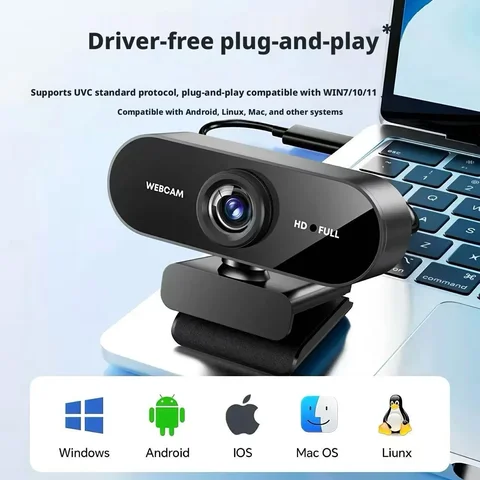
Results for webcam

The best webcams for 2024 offer a combination of high-definition video, low-light performance, and user-friendly features that cater to both casual users and professionals. Whether you're looking for a webcam for online meetings, streaming, or surveillance, understanding the key features and use cases will help you make an informed decision. This article provides a comprehensive guide to choosing the right webcam, including a real-life scenario, step-by-step recommendations, and a comparison of top models. When searching for webcam, users typically have one of several intents: they may be looking for a webcam for video conferencing, streaming, or even for security purposes. In this context, the term webcam can refer to a wide range of devices, from basic USB webcams to advanced IP cameras. For example, someone might search for webcam for online classes or webcam for streaming on Twitch, both of which fall under the broader webcam keyword. Understanding the specific use case is essential to selecting the right product. Consider the following scenario: You're a content creator who wants to improve your YouTube stream's visual quality. You're unsure which webcam to choose and need guidance on what features to prioritize. Here's how to approach the decision:
  1. Identify your primary use case (e.g., streaming, video calls, surveillance).
  2. Check the resolution and frame rate (1080p at 30fps is standard, 4K at 60fps is ideal for high-end streaming).
  3. Look for features like auto-focus, noise reduction, and compatibility with your platform (e.g., OBS, Zoom, or Google Meet).
  4. Consider the lighting conditions in your setup and whether the webcam has a built-in ring light or supports external lighting.
  5. Read user reviews and compare models using a side-by-side comparison table.
Webcam
A digital video camera that connects to a computer or network and transmits video in real time, typically used for video conferencing, streaming, or surveillance.
Webcam A
A specific model or category of webcam, often used to denote a basic or entry-level device suitable for casual use.
Webcam Video
The real-time video feed captured by a webcam, often used for live streaming or video calls.
Webcam Camera
A general term for a webcam, emphasizing its function as a video capture device.
Webcam Google
Refers to the use of webcams with Google services such as Google Meet or Google Hangouts.
Webcam 1
May refer to a specific model or the first webcam in a series, often used in technical or educational contexts.
Webcamra
A misspelling or variation of webcam, often used in informal or non-English contexts.
Webcamxx
Typically refers to adult-oriented webcams or streaming services, and should be approached with caution due to potential legal and ethical concerns.
When comparing webcams, it's important to consider factors like resolution, frame rate, and connectivity. Here's a comparison of three popular models:
Model Resolution Frame Rate Auto-Focus Ring Light Price
Logitech C920 1080p 30fps Yes No $70
Razer Kiyo 1080p 30fps Yes Yes $100
Elgato FaceCam 1080p 60fps Yes No $130
In addition to the above models, there are many other options such as the webcamoid, a compact and portable webcam ideal for travel, or the webcam wb, a budget-friendly option for basic video calls. For more advanced users, the webcamers community often recommends the webcamyoy for its superior low-light performance. However, it's important to avoid terms like webcam xxx or webcam sex, which are associated with adult content and may not be suitable for all audiences. In conclusion, choosing the right webcam depends on your specific needs, budget, and technical requirements. By following the steps outlined above and using the comparison table as a reference, you can find a webcam that meets your expectations and enhances your online experience.


Choosing the Best Webcam for Your Needs: A Comprehensive Guide

What is the best webcam for online meetings and virtual classes?

If you're looking for a webcam that delivers high-quality video for online meetings and virtual classes, the Logitech C920 is an excellent choice. It offers 1080p HD video, a built-in microphone, and compatibility with most platforms like Zoom, Google Meet, and Microsoft Teams.
Webcam
A device that captures video and transmits it over the internet, commonly used for video calls, live streaming, and online classes.
Webcam video
The video feed captured by a webcam, which can be streamed or recorded for later use.
  1. Determine your use case: If you're using the webcam for professional meetings or online classes, prioritize clarity and audio quality.
  2. Check resolution and frame rate: A webcam with at least 1080p resolution and 30fps ensures smooth and clear video.
  3. Test compatibility: Ensure the webcam works with your operating system and preferred video conferencing software.
Webcam Model Resolution Frame Rate Microphone Price Range
Logitech C920 1080p 30fps Yes $70–$90
Logitech C922 Pro 1080p 30fps Yes $100–$120
Microsoft LifeCam HD-3000 720p 30fps Yes $50–$70

How can I set up a webcam for live streaming on platforms like YouTube or Twitch?

To set up a webcam for live streaming, you need a webcam with high resolution, good lighting, and a stable internet connection. The Razer Kiyo is a popular choice among streamers due to its built-in ring light and 1080p resolution.
Webcam camera
A type of camera specifically designed for capturing video for online use, often with features like auto-focus and noise reduction.
Webcamoid
A term sometimes used to describe a webcam with advanced features like built-in lighting or software enhancements.
  1. Choose the right webcam: Look for a model with at least 1080p resolution and a built-in microphone or external mic compatibility.
  2. Set up lighting: Use a ring light or natural light to ensure your face is well-lit and visible to your audience.
  3. Install streaming software: Platforms like OBS Studio or Streamlabs allow you to manage your webcam feed and add overlays or alerts.
I used the Razer Kiyo for my first live stream on Twitch. The built-in ring light helped me look more professional, and the software integration made it easy to start and stop the stream. The audience responded positively to the clear video and consistent lighting.

What are the best webcams for security and surveillance purposes?

For security and surveillance, you need a webcam with night vision, motion detection, and remote access. The Reolink Argus 3 is a top-rated model that offers 1080p resolution, 24/7 monitoring, and cloud storage.
Webcam is
A device that functions as a camera and transmits video over the internet, often used for security, communication, or entertainment.
Webcam 1
A basic webcam model, often used for general video calling or low-budget surveillance.
  1. Check for night vision: A good security webcam should have infrared or color night vision to capture clear images in low light.
  2. Enable motion detection: This feature alerts you when movement is detected, reducing false alarms and saving storage space.
  3. Ensure remote access: Choose a webcam that allows you to view the feed from your smartphone or computer, no matter where you are.
Webcam Model Resolution Night Vision Motion Detection Remote Access Price Range
Reolink Argus 3 1080p Yes Yes Yes $120–$150
Arlo Q 1080p Yes Yes Yes $150–$180
Wyze Cam 1080p Yes Yes Yes $40–$60

What do users say about webcams like the Logitech C920 and Razer Kiyo?

User reviews are an essential part of choosing the right webcam. The Logitech C920 is praised for its reliability and clear video quality, making it a favorite among remote workers and students. Users often mention the ease of setup and compatibility with most platforms. The Razer Kiyo is highly rated for its built-in ring light and 1080p resolution, making it ideal for content creators and streamers. Many users appreciate the software integration and the ability to adjust lighting settings for different environments. Some users have also mentioned the webcam wb and webcam xx models, though these are less common and may not offer the same level of performance as the more popular models. The webcam xxx and wwebcam terms are often used in niche markets and may refer to adult content webcams, which are not suitable for general use. In summary, the webcam a, webcam 1, and webcamra are basic models that may be suitable for casual use, while the webcamt, webcamers, and webcamyoy are less common and may not be widely available. Always read reviews and compare features before making a purchase.

Aliexpress